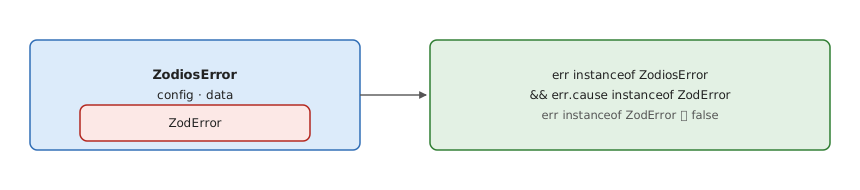
-- zodios: 응답 검증 실패를 ZodiosError 로 감싸고 ZodError 는 cause 에 둔다
zodError :: Error -> Maybe ZodError
zodError (ZodiosError { cause = Just (ZodErr z) }) = Just z   -- err instanceof ZodiosError && err.cause instanceof ZodError
zodError (ZodErr z)                                = Just z
zodError _                                         = Nothing
-- instanceof z.ZodError 만 보면 놓친다 → fromZodError(err.cause).toString()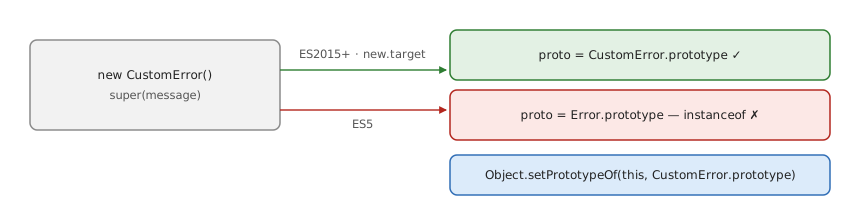
-- Error 를 상속한 클래스: 프로토타입 사슬을 누가 맞추나
construct :: Target -> Class -> Object
construct ES2015 cls = Object { proto = prototype cls }      -- Error 가 new.target 으로 맞춘다
construct ES5    _   = Object { proto = prototype Error }    -- new.target 이 없다 → instanceof CustomError == False

-- 고침: super(message) 직후 Object.setPrototypeOf(this, CustomError.prototype) — ES2015+ 타깃이면 필요 없다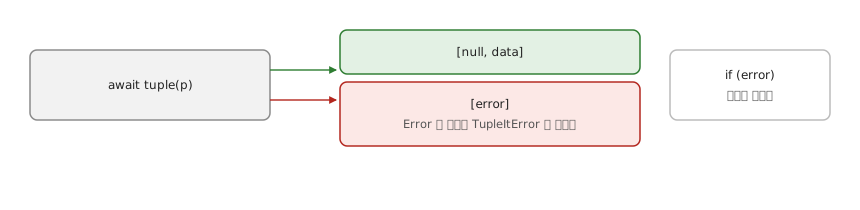
-- 비동기 결과와 오류를 튜플로 — try…catch 대신
tuple :: IO a -> IO (Either Error a)
tuple p = (Right <$> p) `catch` (pure . Left . wrap)
  where wrap e | isError e = e
               | otherwise = TupleItError e   -- Error 가 아닌 값으로 reject 돼도 감싼다

-- const [error, data] = await tuple(someAsyncFunction())
--   성공 [null, data] · 실패 [error] — if (error) 하나로 갈린다
-- 언어 문법으로 넣자는 제안: safe assignment operator (?=)- https://www.smashingmagazine.com/2022/08/error-messages-ux-design/ 1
- https://developers.google.com/tech-writing/error-messages 2
Footnotes
-
에러 메시지를 어디에·어떻게 보이나 의 디자인 지침 (Vitaly Friedman). 빨간색에만 기대지 않기, 자동 스크롤 금지, 입력값을 가리지 않기, 폼에선 입력란 위에·표에선 인라인으로, 토스트로 띄우지 않기, 사용자가 에러를 무시하고 진행할 수 있게, 올바른 입력 예시와 상단 요약. ↩
-
Google Tech Writing 의 에러 메시지 문구 과정. 좋은 에러 메시지는 “무엇이 잘못됐나”와 “어떻게 고치나” 두 질문에 답한다 — 모호하거나 다음 행동을 알 수 없는 메시지가 지원 문의를 늘린다. GUI 에 띄우는 방식은 다루지 않는다. ↩